DEVICE
iPhone 12 or laterLiDAR (Pro / Pro Max) for depth-of-field simulation. Without LiDAR you still get the exact framing.
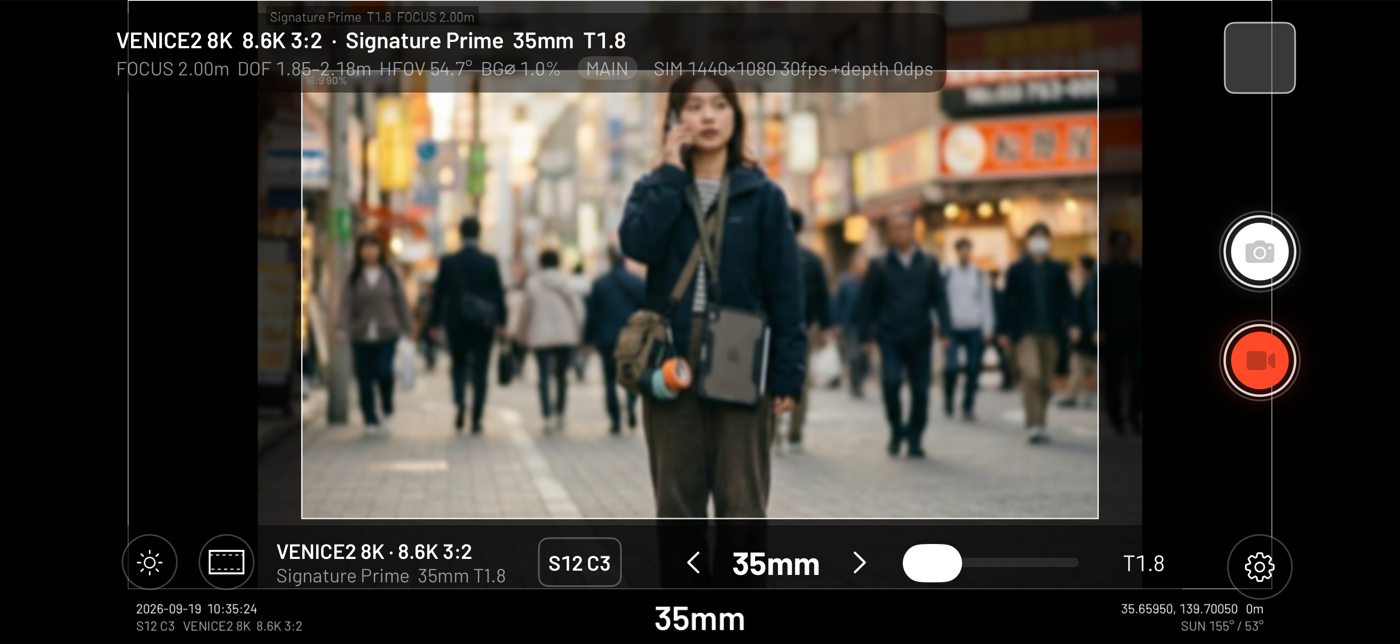
CineLoupe crops the iPhone camera to the exact field of view of a chosen sensor mode and lens — VENICE, ALEXA, KOMODO, 1,400+ lenses — and uses LiDAR depth to render the bokeh, too. Frame lines, sun position, wireless monitoring to a second device, takes, storyboard and a PDF scout report — one tool for location scouting.
FEATURES
Every recording mode has its own imaging area. CineLoupe crops by that, and then computes depth of field from focal length, T-stop and focus distance.
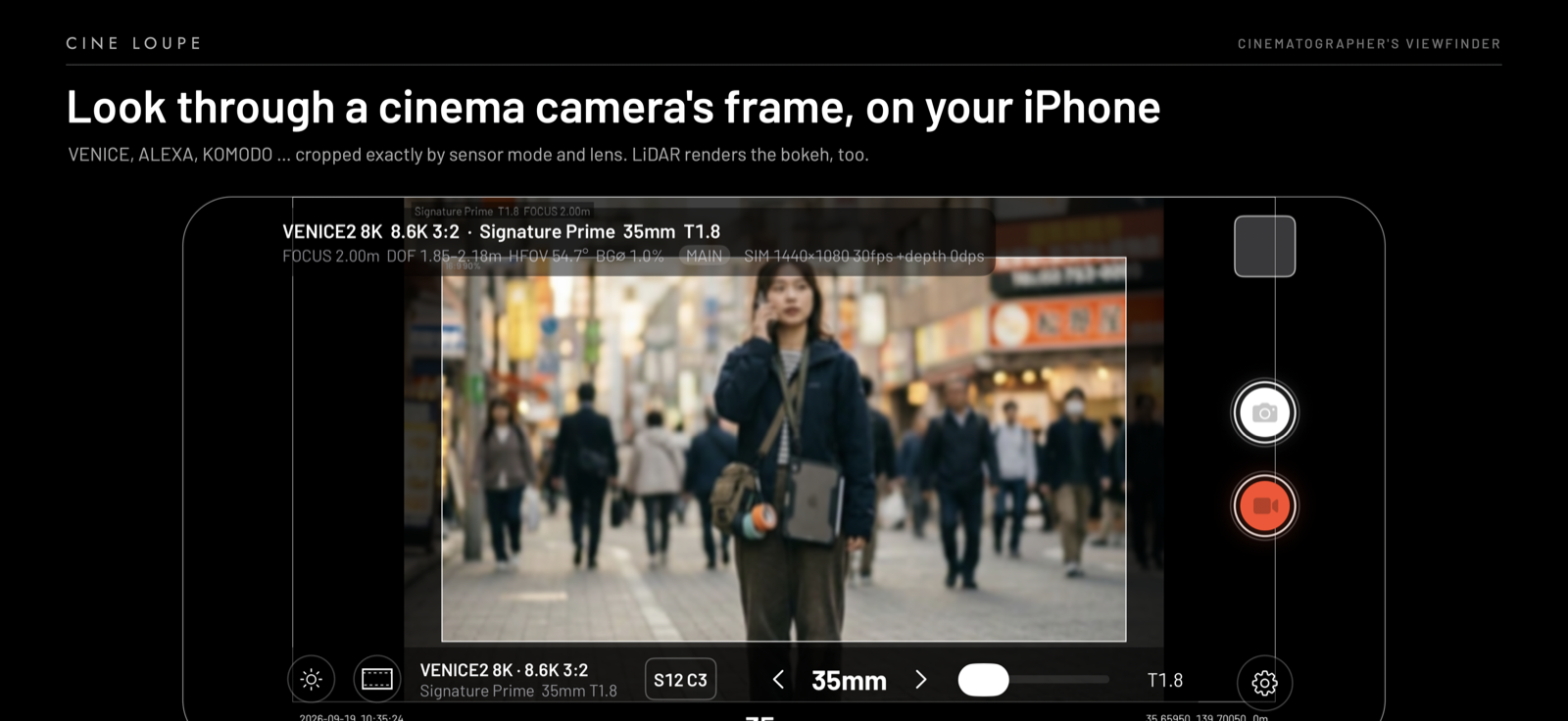
LiDAR depth drives a per-pixel disc blur that follows the chosen lens. Tap to focus. Anamorphic lenses render with the right squeeze and oval bokeh.
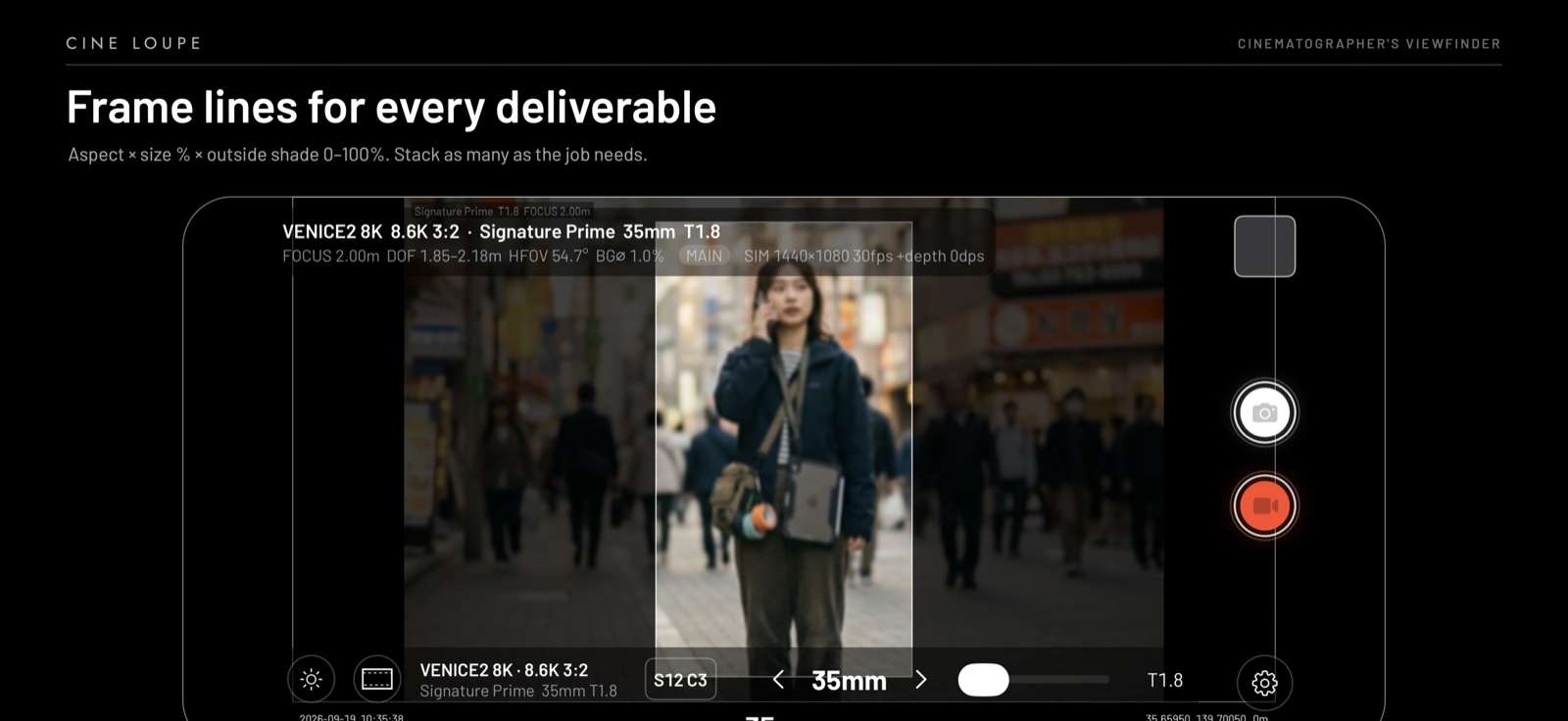
Any aspect × size % × outside shade from 0 to 100%. Stack 16:9 and a 90% 16:9 on the open gate, add a 9:16 for the social cut, and burn them into the recording if you like.
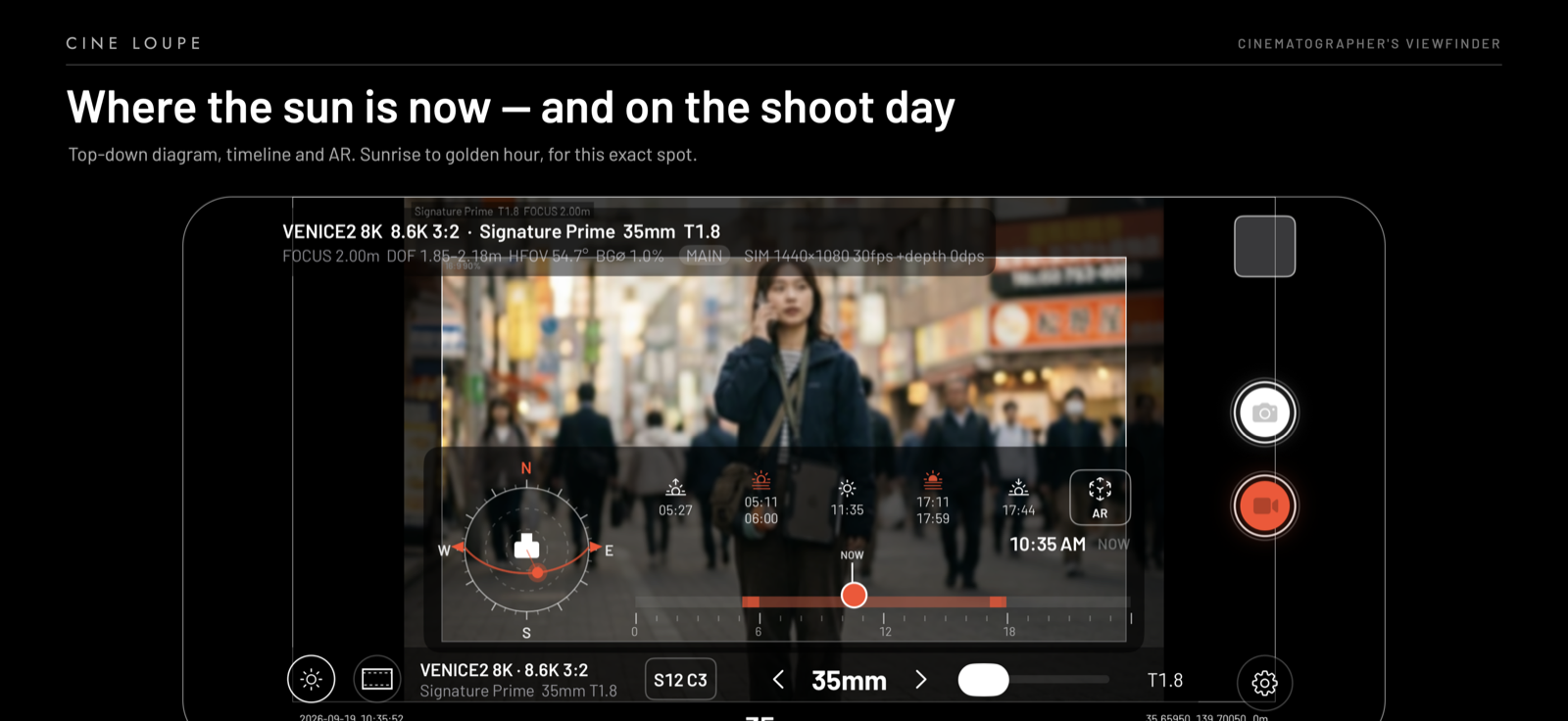
A top-down diagram with the camera's heading, a scrubbable timeline for the day, sunrise / golden hour / sunset, and an AR view that overlays the sun's path on the camera image.
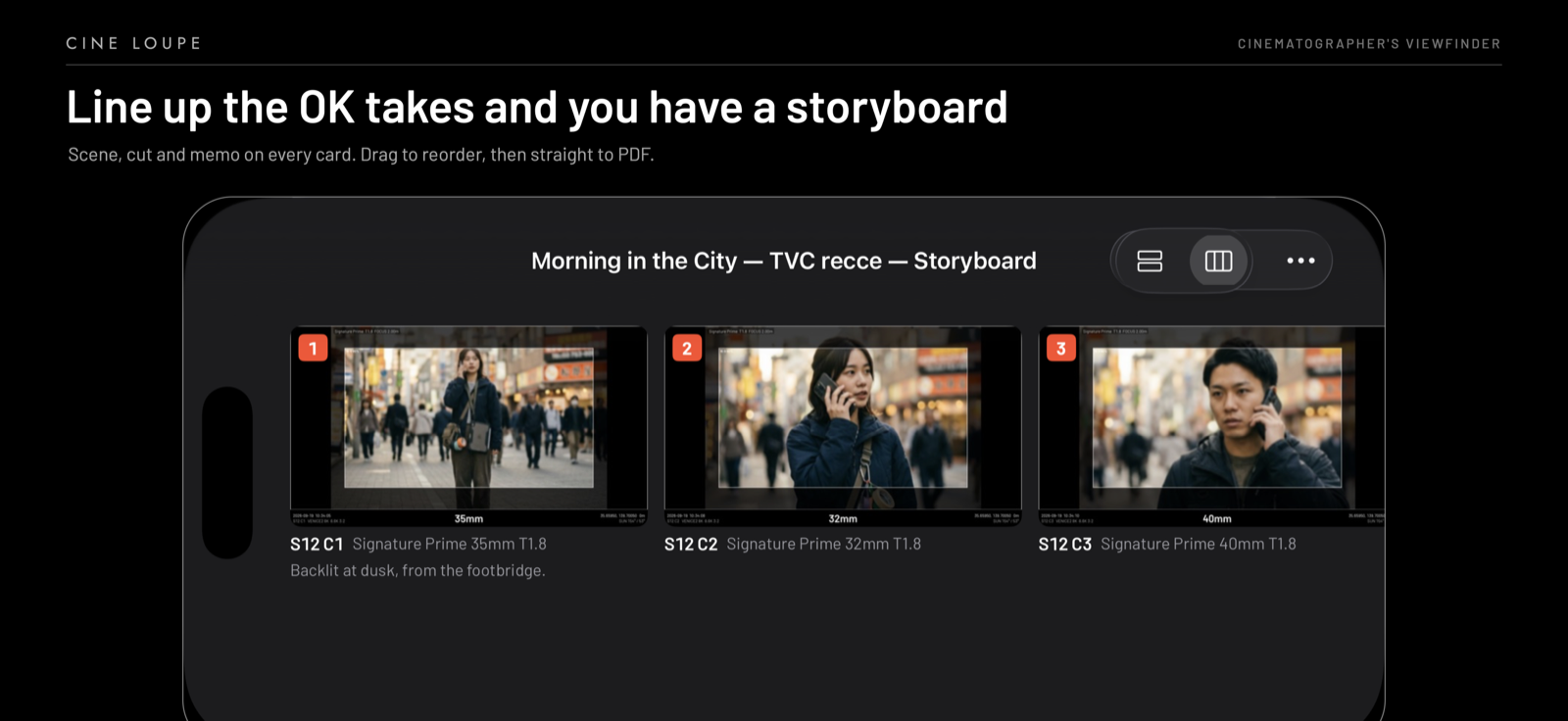
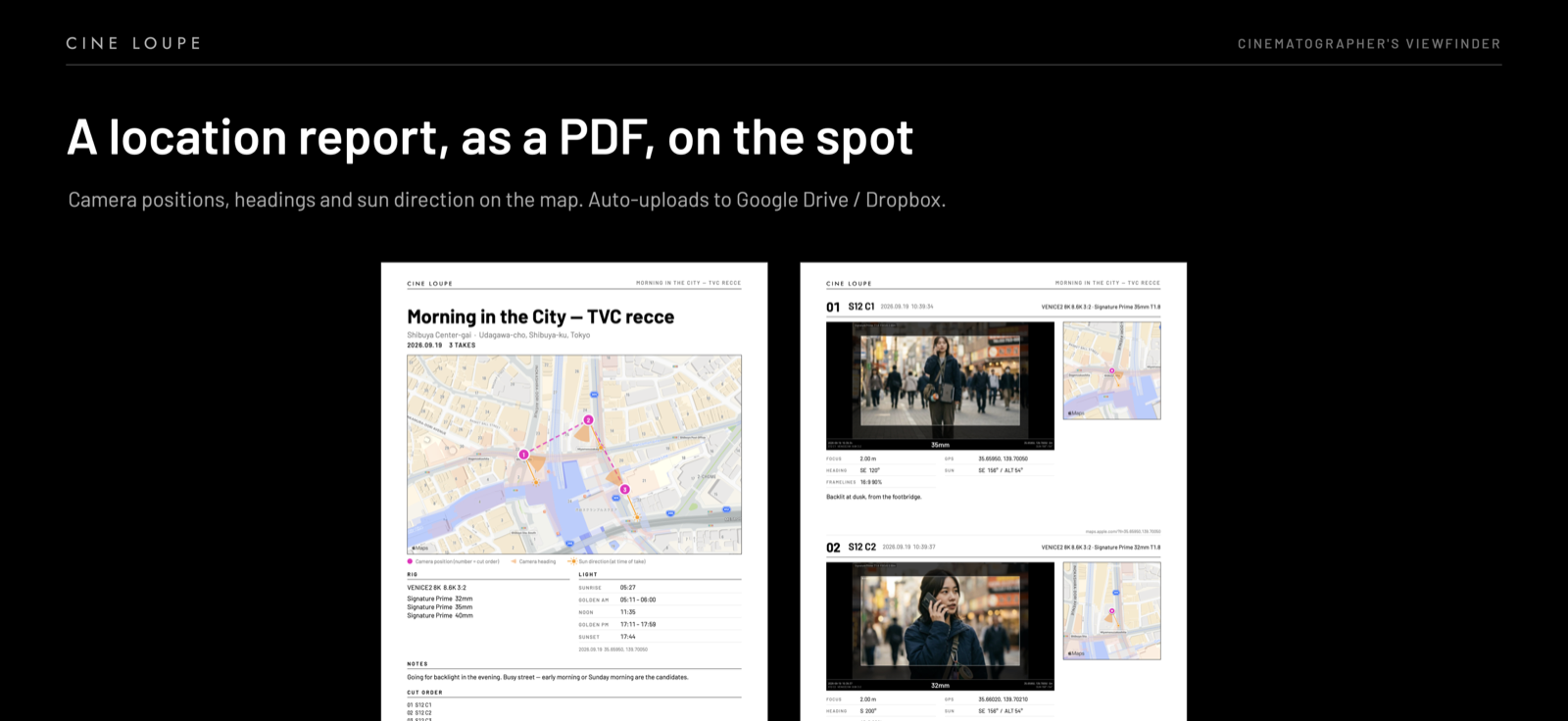
Stills and video carry camera, mode, lens, focal length, T-stop, focus, time, GPS, heading and scene/cut. Mark the OK takes, drag them into cut order, and export a location report with maps, camera positions, headings and the sun direction at each take. Optional auto-upload to your own Google Drive or Dropbox.
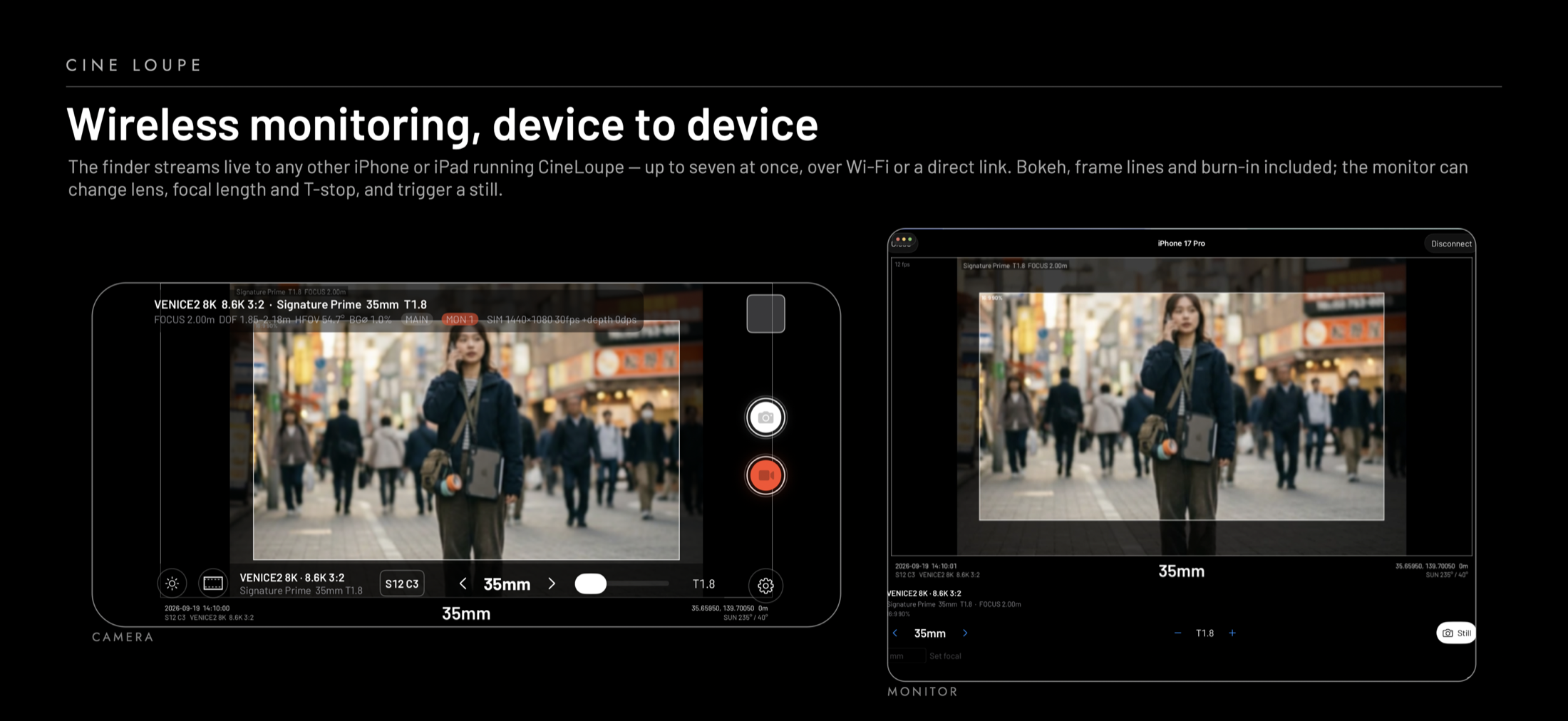
The finder streams live to any other iPhone or iPad running CineLoupe — up to seven at once, over Wi-Fi or a direct peer-to-peer link, no server. Bokeh, frame lines and burn-in included. The director's iPad can change lens, focal length and T-stop, and trigger a still, without touching the camera.
Stills keep the raw frame and depth map. Revisit a take with a different camera, lens, T-stop or focus, and save it as a new take.
COMPATIBILITY
Install TestFlight, open the public link, and you're in. Feedback from real scouts shapes 1.0.
FAQ
Framing is computed from the sensor mode's published imaging-area dimensions and the lens focal length. Modes derived from pixel pitch rather than a published figure are marked with “?” in the app.
No. It is a physically based approximation of depth of field — circle of confusion from focal length, T-stop and focus — driven by LiDAR depth. Distortion, vignetting, cat's-eye, breathing and colour are not reproduced. Make final decisions with a test shoot.
Type any focal length and T-stop manually. The database is built from cinema rental inventories and grows with each release — tell us what's missing.
Into the app's Documents folder on your iPhone (visible in the Files app), optionally copied to Photos, and — only if you enable it — to your own Google Drive or Dropbox. Nothing is sent to us.